
Home
POS software that keeps checkout clear when the rush begins.
Take orders, set channel prices, process payments, and review sales in one Lysara POS flow. Built for coffee shops, restaurants, and growing local businesses.
See it in a demo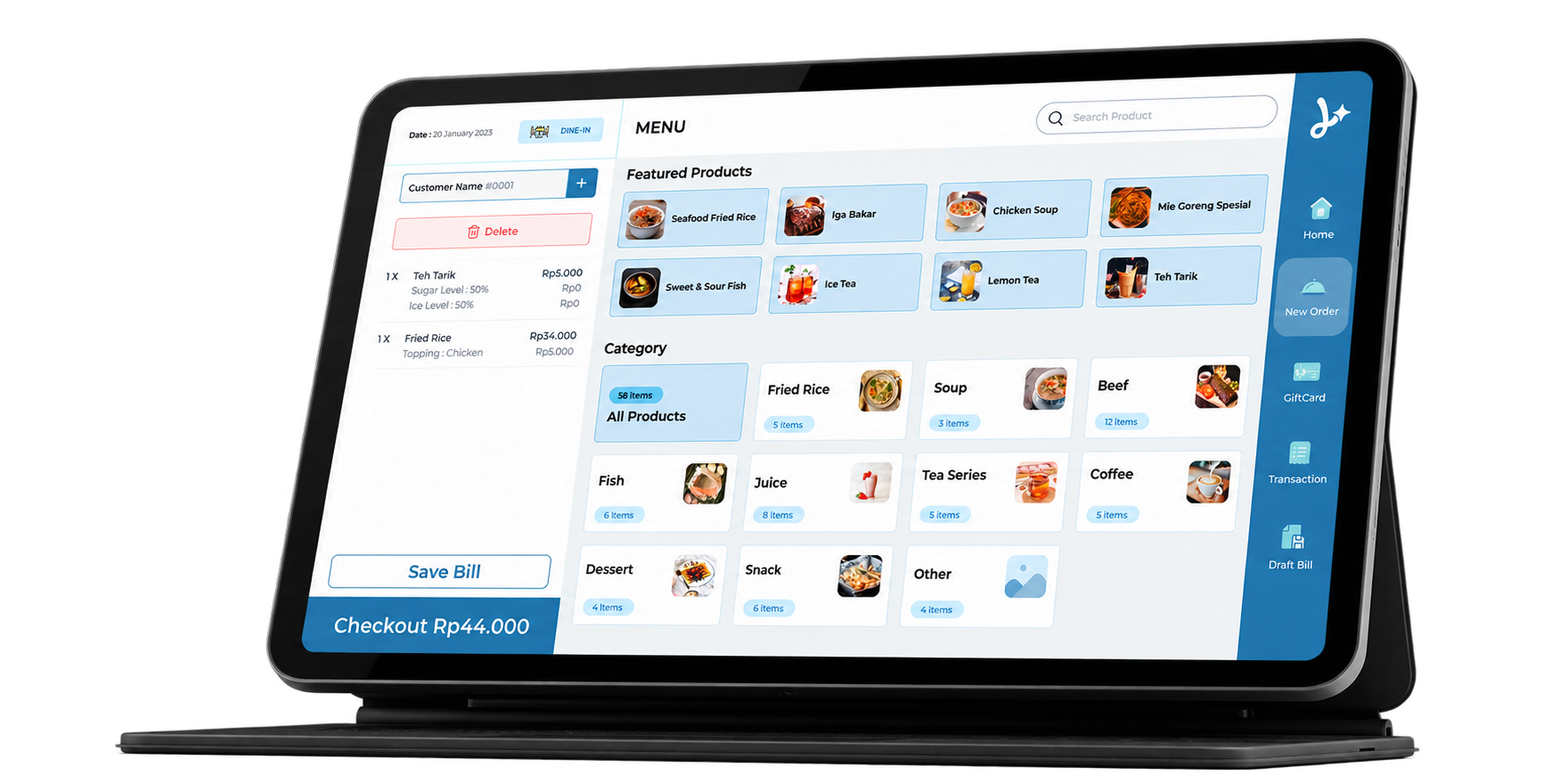
When the queue grows, checkout needs a clear flow.
A point of sale records orders, processes transactions, and helps you read sales results. Lysara connects checkout with prices by sales type and business reports, giving you records to review after serving customers.
Mobile & Desktop POS supports product variants and modifiers, fixed-amount or percentage discounts, tax and service charge, receipt printing, and shift management. Start with a product catalogue and prices that reflect how you sell. Staff process orders through POS, then use reports to review what sold. Bring your own menu to a demo so the people who will use checkout can assess the flow.
One product, a price for each way you sell.
Counter prices do not always match delivery prices. Sales Type supports product pricing and reporting by sales channel.
For example, a milk coffee could cost Rp25,000 for walk-in and Rp29,000 for delivery. These are illustrative Indonesian prices. Your business sets the actual prices. Setting sales types does not automatically connect orders to third-party delivery apps.
Explore Sales TypePayment completed. Funds go to your business account.
Lysara supports integration with the merchant’s own Xendit account. Payments are processed through that account and settled to the business bank account. Available methods, processing fees, and settlement schedules follow Xendit’s terms.
During outlet setup, discuss the payment methods you need and the merchant account you will use. Keep software subscription costs separate from payment processing costs in your monthly planning.
Explore paymentsThe outlet closes. You still need to read the results.
Sales and shift reports help you review a service period. Read results by sales type to distinguish counter sales, pickup, and delivery.
Use reports to ask which products sold, which channels customers used, and what to discuss before the next opening. Explore the Dashboard in a demo to assess the reports you need.
Explore business reportsCheckout starts a connected flow.
Add Self Order when customers want to browse on their phones. Use Membership for points, vouchers, and targeted offers. Each product has a distinct role; start with your outlet’s most pressing need.
Frequently asked questions.
What is Lysara POS?
Lysara POS records orders, processes transactions, sets prices by sales type, and provides sales reports.
Can dine-in and delivery prices differ?
Yes. Sales Type supports product pricing and reports by sales type.
Which devices and printers can I use?
Bring your device and printer details to the demo. The Lysara team will check compatibility and plan requirements before you subscribe.